 EVEWalletAware - Manual EVEWalletAware - Manual
EVEWalletAware (EWA) is a 3rd party tool which aims to simplify the management of your EVE Online financial matters and ease the data mining through EVE's different data sources (wallet transactions, wallet journals, market orders etc.). EWA is purely aimed at EVE traders. It offers little to no help for producers/industrialists, like for example a reprocessing calculator or other professions.
While EWA started out really slim in terms of available features and therefore was easy to understand/figure out without any kind of documentaion, it has grown quite a bit since its first release. I do realize that new EWA users might be overwhelmed/confused about what EWA does and where to find that certain feature. This manual tries to explain the various aspects of EWA.
EWA utilizes the EVE API to download your wallet transactions and journal. Unfortunately, the way CCP designed the EVE API, in order to download your wallet data, your Full API Key is necessary. Therefore keep the following in mind, before downloading EWA and entering your Full API Key:
The first thing you need to do in EWA is to set up an EWA account and enter your EVE API credentials. That said, if you haven't created your API key yet, do it now!
API limitations
The EVE API - and therefore any application using the API - has some limitations, which may irritate first-time API users. CCP's aim with this is to minimize the load of the API servers.
Historical data. APIs such as Wallet Transactions and Wallet Journals are limited in how far back you can grab data from them. It's either max. 1000 entries or one week worth of data. Any data older than that is inaccessable to you via API.
API caching. If you query an API, CCP returns the queried data along with a time stamp, called "cachedUntil". This is a date/time in EVE time (GMT). The API servers won't give you new data from that API until after that time. Instead, the API servers return a status/error message along the lines of "Wallet exhausted. Retry after <date/time>" or something similar. This caching has an odd exception: it's restricted to the querying IP address (your machine/all machines behind your internet router/DSL modem). If you retrieve your wallet transactions with application A and you try to retrieve your wallet transactions with application B before the cache timer delivered to application A has expired, application B - although it never has queried that API before - will receive the above mentioned message. However, if you hand over your API key to a friend or corp mate, he will be able to retrieve the data right away (assuming he's machine has a different IP address). Keep that in mind if you use different 3rd party apps. They might work with the same API data, so the first one is lucky and gets the data, all others need to wait until the caching timer has expired.
That is the official caching of the API servers. There's another delay, which impacts how up to date the API data is you downloaded. That is the time it takes for CCP to shovel over the data from TQ (the live game server) to the API servers. It usually takes only a few minutes until the state of TQ is reflected on the API server. But it takes a few minutes. If you sell an item on TQ, promptly switch to EWA and download your wallet data, chances are good that you won't see your recent sale in EWA yet. Give it a few minutes ...
If you start EWA for the first time, it will automatically present you the options screen, where you need to create an EWA account. This is how this screen looks like:
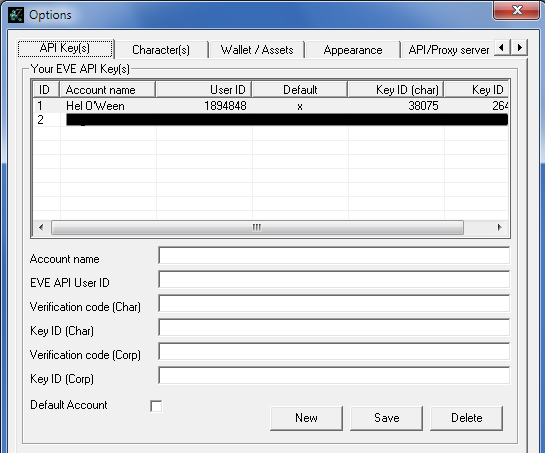
Let's have a look at the available fields and what to put in there:
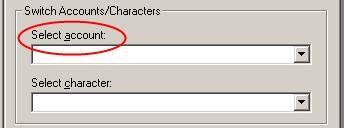
You can create as much EWA accounts as you like, letting EWA manage as much EVE accounts/characters as you like.
Now that you've created an EWA account, you need to retrieve the characters for this account from the EVE API. Switch to the "Character(s)" tab:
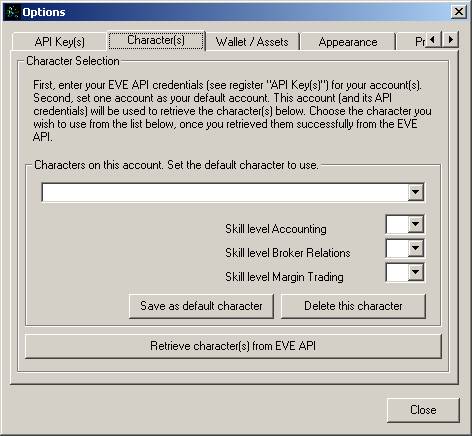
This is a bit tricky, so read on carefully. You need to mark the account as your default account in order to be able to retrieve the characters for it and click the "Save" button. If you haven't done this, switch back to the "API Key(s)" tab and make sure the account is marked as your default account. I know this is inconvenient, but that's the way I did it back in the day. And you only need to fetch your characters once (in a while).
Press the button "Retrieve character(s) from EVE API". After that, the dropdown box should be populated with all characters. Select one character, enter his skill levels for Accounting, Broker Relations and Margin Trading (currently not in use) and click "Save as default character".
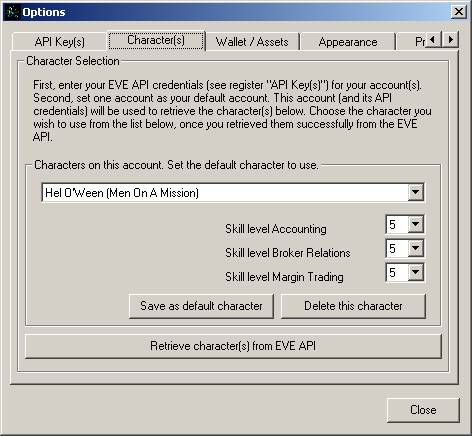
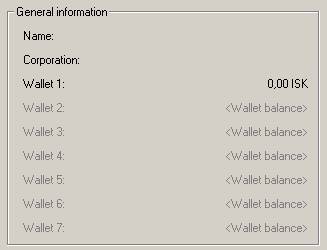
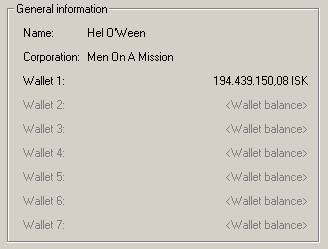
| After you have done so, EWA's main window should have changed like this: | |
|
|
After you've created your EWA account, the first thing you must do, is to update EWA with EVE's dynamic data. To do so, click Extras -> Update game data -> All of the above.
It is crucial that you update EVE's dynamic data, otherwise EWA's wallet journal features won't work at all. Player outposts and journal entry descriptions (Broker Fees, Bounty Prizes ect.) are not part of CCP's static database dump for developers. Therefore you need to grab them from the API first. You also need to update them from time to time, as new outposts get built.
Congratulations, you're now ready use to EWA. Continue with Options Explained.
 viewpoint